



Copilot’s ‘Review this presentation’ skill in PowerPoint
4th June update. Microsoft: "This skill now supports both Anthropic model and GPT5.5 model."
Short VersionCopilot's 'Review this presentation' skill is now available in PowerPoint. It reviews your existing slides and gives...

The Flux.2 Flex image generation model comes to PowerPoint Copilot for better visuals
Short VersionBlack Forest Labs' Flux.2 Flex image generation model is now available in PowerPoint with Microsoft 365 Copilot. It's optimised for high-quality visuals with improved text and layout rendering, and appears...

Copilot’s ‘Visualise this slide’ skill is coming to PowerPoint
4th June update. Microsoft: “This skill now supports both Anthropic model and GPT5.5 model.”
Short VersionCopilot's ‘Visualise this slide’ skill is coming to PowerPoint. Due mid-May 2026.
Details
Microsoft has introduced the ‘Visualise this slide’...

Use Copilot to explain selected slide content in PowerPoint Live
Short VersionMicrosoft Teams meetings with PowerPoint Live will soon let attendees select slide text and get private, on-demand Copilot explanations. Now due mid to late June 2026.
DetailsMicrosoft is enhancing the PowerPoint Live...

Choose your AI model when editing presentations in PowerPoint
Short VersionM365 Copilot (paid) in PowerPoint will soon let you choose an AI model (including OpenAI and Claude) when creating and editing a presentation. Due early April to early May 2026.
DetailsMicrosoft has...

Word, Excel and PowerPoint App home pages are getting a new search box
Short VersionMicrosoft is adding a new search box to the Word, Excel, and PowerPoint app home pages. Due late December 2025 to March 2026.
DetailsMicrosoft is making it easier to find files on the...

Copilot Agent mode in PowerPoint gets updated capabilities
Short VersionAgent mode in PowerPoint gets updated, rewrite, translate, and speaker notes features. Due mid-March to late April 2026.
DetailsMicrosoft is updating Agent mode in PowerPoint, building on the changes announced in...

Changes to creating presentations with Copilot
Short VersionIn PowerPoint, the Copilot icon will replace the Sparkle icon as the method for starting a presentation or slide using Copilot. Due mid-March to mid-April.
DetailsIn PowerPoint, you currently click on...

Agent Mode in Copilot is coming to PowerPoint for the web
Short VersionAgent Mode in Copilot for PowerPoint web lets you create and refine presentations using natural conversation, whilst preserving formatting and branding. Now due mid-February to late April 2026.
DetailsAgent Mode in PowerPoint...

AI-powered image editing is coming to PowerPoint
Short VersionDesigner editor integration in PowerPoint brings a new image-editing experience. Now due mid-December 2025 to early March 2026.
DetailsThe new Designer editor integration in PowerPoint offers a modern, AI-powered image editing experience directly within your...

New features coming to (free) Copilot Chat for Outlook, Word, Excel, and PowerPoint
Updated 20th January, 2026: Microsoft: "The change to Copilot Chat in Outlook to expand reasoning to include a user's entire inbox, calendar, meetings, and other enterprise data is starting to roll...

You can now choose PowerPoint deck length, tone and image style when creating with...
Short VersionYou will soon be able to steer presentation length, tone, and AI image style when creating with Copilot in PowerPoint. Due early to mid-December 2025.
DetailsYou can adjust the length, tone,...
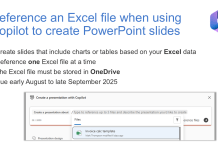
CANCELLED: Reference an Excel file when using Copilot to create PowerPoint slides
Microsoft, 11th November 2025: "This capability has been cancelled for now. We recognize its importance and plan to reintroduce it as part of upcoming Copilot enhancements in PowerPoint at a later...

Copilot Chat is coming to M365 apps for users without a Copilot licence
Short VersionCopilot Chat will soon be available as a side-by-side experience in Word, Excel, PowerPoint, Outlook, and OneNote for users without a Copilot licence. Due late June to September.
DetailsMicrosoft is adding...

Copilot in PowerPoint will soon be able to reference Excel files
Short VersionCopilot in PowerPoint users will soon be able to create presentations based on Excel files. Now due mid-July to late August 2025.
DetailsAfter this rollout, users can see Excel files when...

Cancelled: Turn Teams Meetings into PowerPoint Slides
Update 23rd January 2026: "We are no longer moving forward with this feature. We apologize for any inconvenience".
Short VersionCopilot in PowerPoint will soon allow you to reference a Teams meeting to...

On hold: OneDrive will soon get a new ‘Export as PDF’ feature
Update 24th July from Microsoft: "After further review, we are not able to roll this out at this time. We apologize for any inconvenience".
Short VersionOneDrive will soon get a new Export...

Reference up to 5 files when creating a PowerPoint presentation using M365 Copilot
Short VersionPowerPoint users with a M365 Copilot license will soon be able to reference up to 5 files when creating a presentation. Due mid-June to early July 2025.
DetailsAfter this rollout, you will...

Use Copilot to create a single PowerPoint slide from a file or prompt
Short VersionYou will soon be able to create individual PowerPoint slides using Copilot. Due late April to early June 2025.
DetailsWe have been able to create PowerPoint presentations using Copilot for some time...

Copilot will create a presentation summary as you open PowerPoint
DetailsMicrosoft PowerPoint and Copilot will create an automatic presentation summary, which will help you understand the topics covered in the slide deck as you open it.
The summary will be shown proactively to readers...

What’s new in Microsoft 365 and Copilot? September 2026
*Members only early access* Welcome to our ninth roundup of 2026. We review what was announced, released, and delayed across Microsoft 365 and Copilot...


